
Before You Start
📩 Access is by invitation only: If you've submitted a flight preference form to request a specific airline, cabin upgrade, or pre- or post-tour extension, you may be invited to secure your flights directly through our Flight Portal between 30 and 60 days before travel. Your invitation email will include instructions on how to access the portal, it can only be accessed via this invitation.
✈️ Stopover requests: If your flight preference request includes a stopover in the hub city of your selected airline, this will be quoted separately by our Flights team via email rather than shown in the portal.
🔒 Seeing "held" flights in your Traveller Hub? These are preliminary flights only and may be subject to change. If you'd prefer to proceed with these held flights instead of making changes through the Flight Portal, please contact our team.
1. Start your search
The Flight Portal will open with your search already in progress. Your search details are pre-filled based on your tour and departure date, and any pre- or post-tour nights included in your package will automatically be factored into the results.
You will be presented with an included flight option with $0 cost as your tour is 'flight inclusive'. You may wish to simply accept this (or one of these) $0 options through the portal in which case select the option and proceed to check-out.
If you still wish to identify the cost for your preferred flights, the next steps in this FAQ will take you through how to navigate the portal and identify the cost of changes such as extensions, airline preferences, cabin class changes
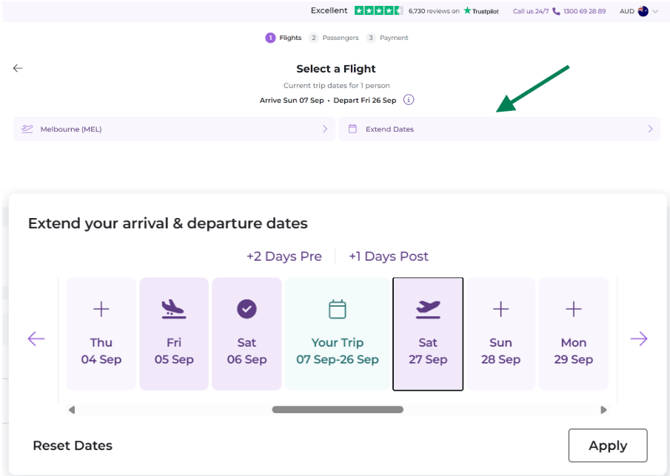
Note : Extending your dates. If you'd like to arrive earlier or depart later than your tour dates, click Extend Dates to choose flight dates that suit you. There's no need to extend for any pre- or post-tour nights already included in your package , these are added automatically. If you do extend your dates, you'll need to arrange your own accommodation for the extra nights.
2. Review your matching flight options
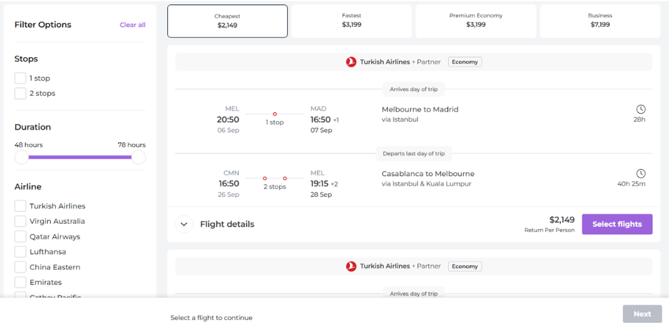
Once your search is complete, flight options matching your tour's criteria will be displayed.
Note: Pricing. The amount shown is the additional cost to select that flight on top of your included flight value. Our standard $150 personalised quote fee is waived.
3. Refine your search
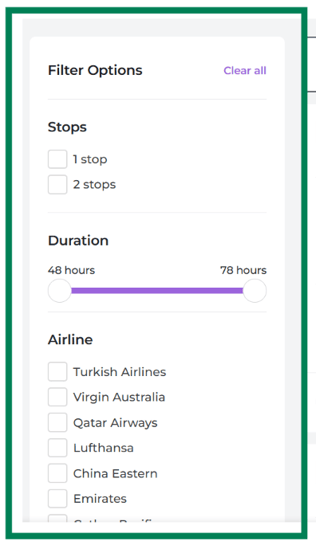
If you're looking for a specific flight duration, airline, or maximum number of stops, use the filters on the left-hand side of the portal to narrow down your options.
4. Choose your cabin class and sort order
Click the boxes at the top of the page to view Premium Economy or Business Class options — results are always sorted by cheapest flight first within your chosen cabin. You can also choose to sort economy flights by cheapest or quickest first.
Note — First Class isn't available to select in the portal. If you're interested in First Class flights, please get in touch with us directly.


5. View full flight details
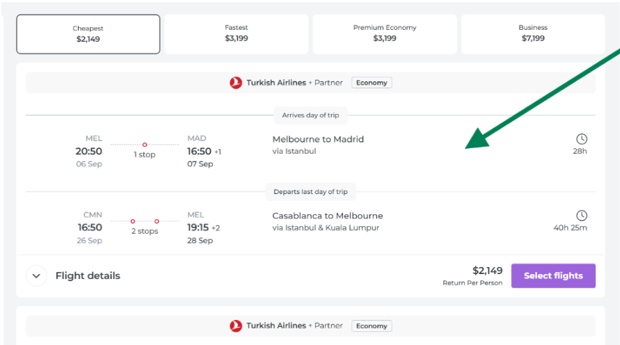
Click on any flight to see its full details, including flight times, layovers, and baggage information.
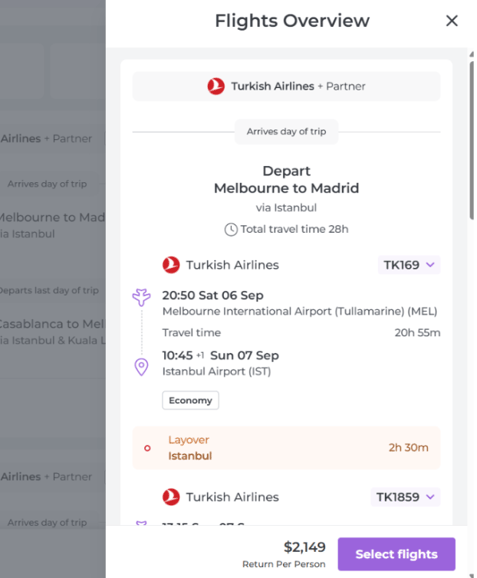
6. Select your flight
Click Select Flights to choose your preferred option, then click Next to proceed with that choice.
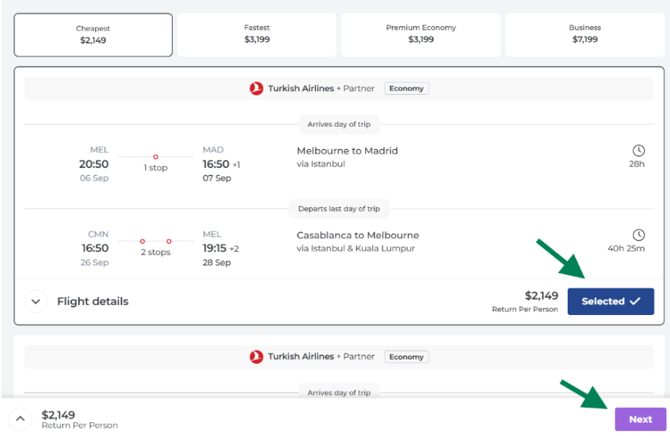
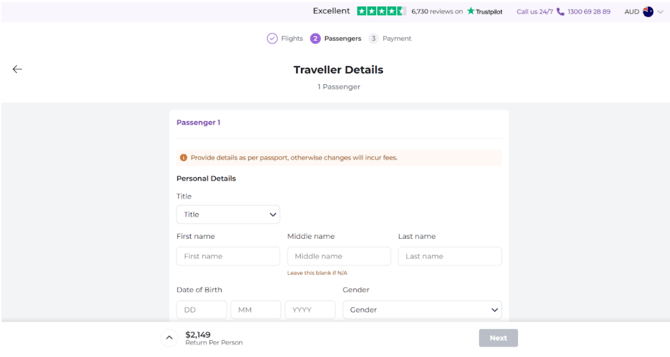
7. Enter passenger and passport details
On the next page, your passenger and passport details will already be pre-filled from your booking form for flight-inclusive packages. If you need to make any changes, please contact our team directly on 1300 88 66 88.
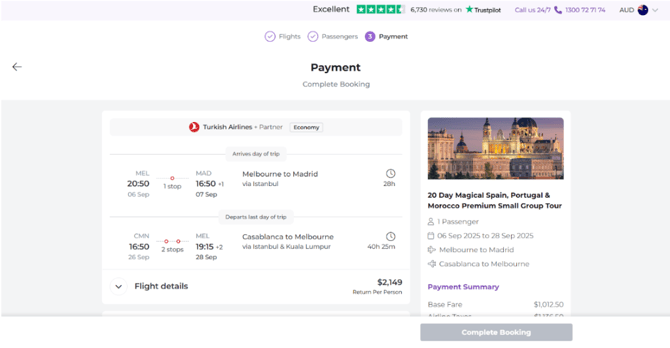
8. Review and pay
On the final step, review your flight choice and complete payment by credit card.
9. You're booked!
Once payment is processed, your booking is complete. Your e-tickets will be available in your Traveller Hub account within 7 days.
Need Help?
If you have any questions at any point in the process, or would prefer to proceed with your held flights instead, call our team on 1300 88 66 88.